Image Aspect Ratio Checker
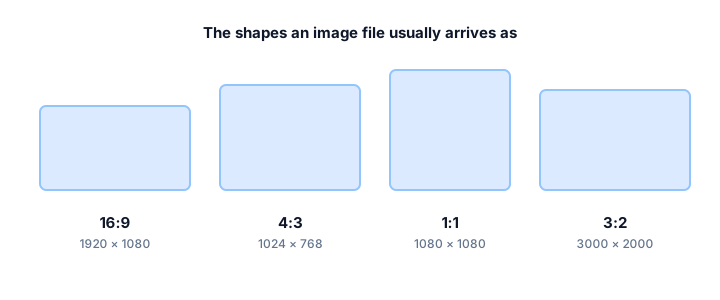
Drop an image here and this tool reads its width and height straight from the file — in your browser, not on a server. It then reduces those numbers to a ratio and shows the closest standard ratio, so you can tell at a glance whether a file is 16:9, 4:3 or something in between.
Check an image
Choose or drop a file to read its dimensions locally.
Images are processed locally in your browser and are not uploaded to our server.
- Dimensions
- —
- Aspect ratio
- —
- Decimal
- —
- Orientation
- —
- Closest standard
- —
What this checker does
Every image file carries its pixel dimensions in its header, and those two numbers are all a ratio is built from. This tool reads the width and height, divides one by the other, and reduces the result to the smallest whole-number ratio. That reduction is the same greatest-common-divisor step the calculator on this site applies, so a 4032 × 3024 photo comes out as 4:3.
The closest-standard match is the useful part. A 1920 × 1080 file is exactly 16:9, but a 1366 × 768 laptop screenshot is 683:384 — almost 16:9, not quite. The checker reports both the exact reduced ratio and the nearest standard one, together with how far away they are, so you know whether to treat the file as standard or as a near miss.
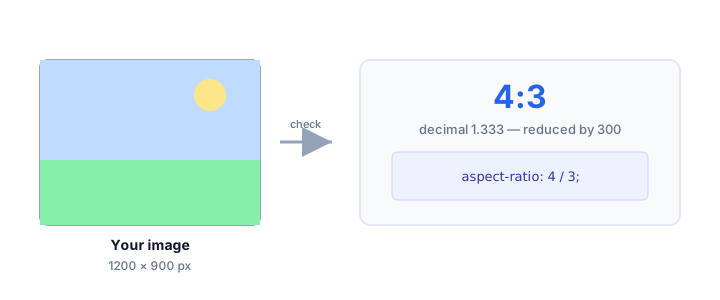
Image Aspect Ratio Checker FAQ
Is my image uploaded when I check it?
No. The file is read locally by your browser. Nothing is uploaded, stored or sent to any server — the dimensions are extracted on your device and the calculation happens there too.
What formats can I check?
Any format your browser can decode as an image, including JPEG, PNG, GIF, WebP and AVIF. The tool reads the dimensions your browser reports, so a file your browser opens will work here.
Why does my photo say 4:3 when my phone is 16:9?
Many phone cameras capture at 4:3 by default because the sensor is 4:3, and only switch to 16:9 when you select that option — which crops the top and bottom of the sensor rather than capturing more width.
Does the checker tell me the orientation?
Yes. If the width is greater than the height the image is landscape, if the height is greater it is portrait, and if they are equal it is square.